Anthias v2026.6.3 - Installation stops halfway on PI3 B+

Hi, i tried to test new Anthias release on our Raspberry PI 3 B+ with Trixie and with Bookworm but Installation stops halfway everytime.

This is the cli log:

======================================================================
Run the Anthias Ansible Playbook

Note: Ansible may prompt for your sudo password below.

BECOME password:

PLAY [Install Anthias] ******************************************************************************************************************************************************************************

TASK [Gathering Facts] ******************************************************************************************************************************************************************************
ok: [localhost]

TASK [Validate required environment variables] ******************************************************************************************************************************************************
[ERROR]: Task failed: Action failed: Required environment variables missing or invalid. USER must be set; DEVICE_TYPE must be one of pi2, pi3, pi4-64, pi5, x86, arm64.
Origin: /home/pi/anthias/ansible/site.yml:13:7

11
12 pre_tasks:
13 - name: Validate required environment variables
^ column 7

fatal: [localhost]: FAILED! => {
“assertion”: “device_type in [‘pi2’, ‘pi3’, ‘pi4-64’, ‘pi5’, ‘x86’, ‘arm64’]”,
“changed”: false,
“evaluated_to”: false,
“msg”: “Required environment variables missing or invalid. USER must be set; DEVICE_TYPE must be one of pi2, pi3, pi4-64, pi5, x86, arm64.”
}

PLAY RECAP ******************************************************************************************************************************************************************************************
localhost : ok=1 changed=0 unreachable=0 failed=1 skipped=0 rescued=0 ignored=0

Hi caimano,

Thanks for the detailed report. You found a real bug. When a Pi 3 runs a 64-bit OS, the installer correctly tags it as pi3-64, but the install playbook was not updated to accept that name, so it stopped
right at the start with the “DEVICE_TYPE must be one of…” message you saw.

We have a fix in fix(install): accept pi3-64 in Ansible playbook validation by vpetersson · Pull Request #3067 · Screenly/Anthias · GitHub . Once it is merged it will go out in the next release, and the install on a 64-bit Pi 3 will run through to the end.

In the meantime, if you want to get going right away, you can either reflash with the 32-bit Raspberry Pi OS (the Pi 3 runs fine on that), or run the installer with the device type set by hand:

DEVICE_TYPE=pi3-64 ./bin/install.sh

Thanks, okay, tomorrow I’ll try to test everything using these two tips while I wait for the new release. But I wanted to ask you: does the 32-bit version also work on the Raspberry Pi 4 8GB?

I think all Pi 4 images are 64 bit.

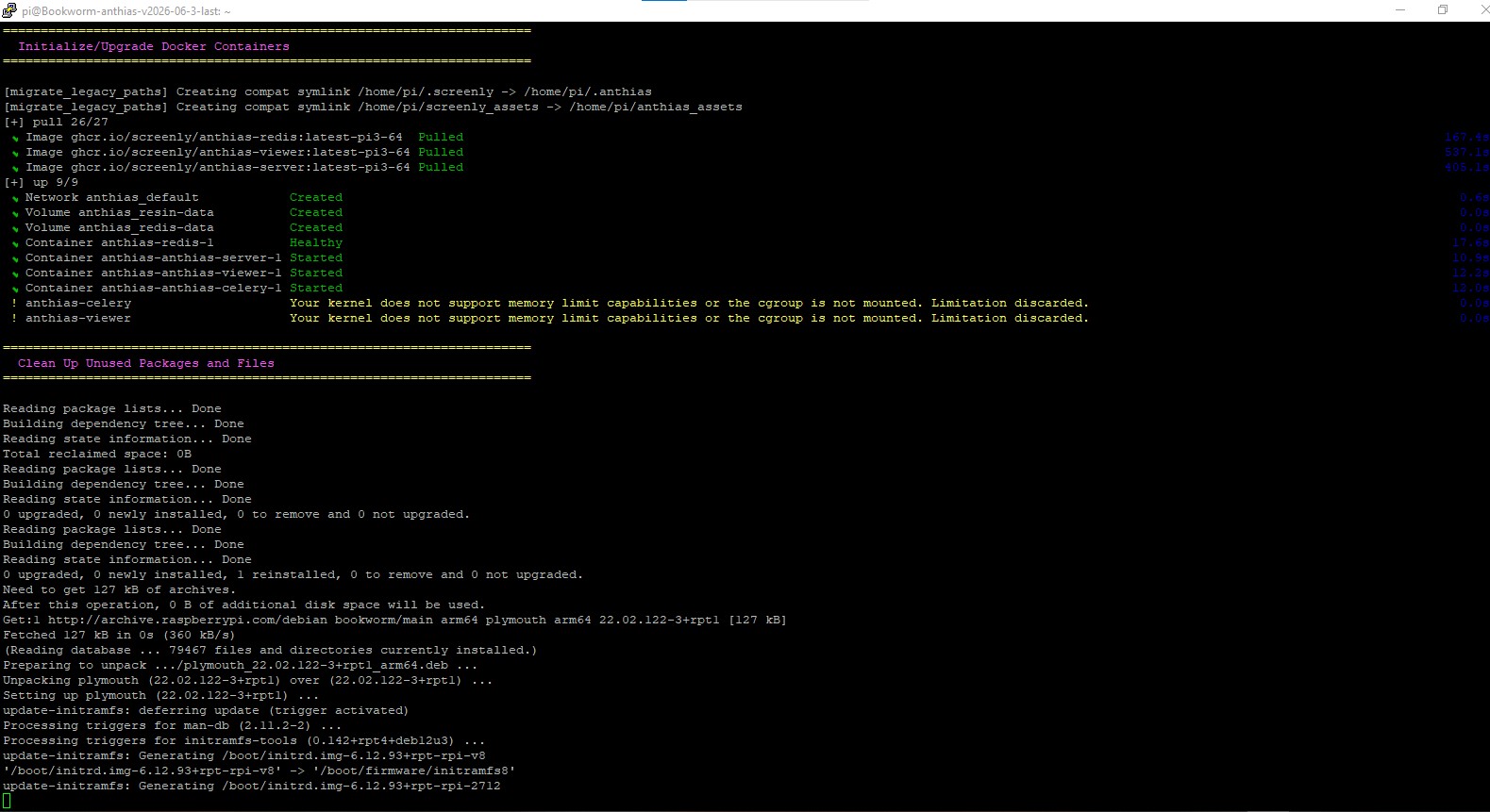
Setting the device type works until later in the installation process:

======================================================================
  Initialize/Upgrade Docker Containers
======================================================================

[+] pull 0/3
 ⠴ Image ghcr.io/screenly/anthias-redis:fe8f054-pi3-64  Pulling                                                                                           2.6s
[+] pull 0/3r.io/screenly/anthias-server:fe8f054-pi3-64 Pulling                                                                                           2.6s
 ⠦ Image ghcr.io/screenly/anthias-redis:fe8f054-pi3-64  Pulling                                                                                           2.6s
 ⠦ Image ghcr.io/screenly/anthias-server:fe8f054-pi3-64 Pulling                                                                                           2.6s
 ⠦ Image ghcr.io/screenly/anthias-viewer:fe8f054-pi3-64 Pulling                                                                                           2.6s
no matching manifest for linux/arm/v8 in the manifest list entries

Also installation for v2026.06.1 failed for me when setting the device type manually. So the last tag that currently installs fine on 64bit Trixie on a Pi3 is v2026.06.0.

Oh this is interesting. Let me take a look at this.

Fixed in fix(install): detect Pi 3 image stream from userspace arch, not kernel by vpetersson · Pull Request #3076 · Screenly/Anthias · GitHub

This was a strange one. Seems like you got a 32bit Raspbian Install with a 64 bit kernel.

All works fine for me on PI 4 8gb, but I hope that a new stable release exit so fast because i have yet some problem with Raspberry PI 3 B+ installation like this.

After reboot nothing happens…

Those errors look harmless to me. Could you download this script and run it on the device? It’s the new diagnostics script that we are trying out.

So, you said to install the 32 bit raspberry pi but the anthias installed checks for 64 bit OS. How can you install anthias on a 32 bit OS?

Just tried a clean install on 64 bit Trixie on the 3B+. The result after starting the installation script is the same as in the initial post. Guess I’ll downgrade to the 32 bits image.

This is very strange - we will do some more QA.

The PI3 seems to be a special kind of thing. Clean Trixie 32 bits to start with.

anthias@raspberrypi:~ $ uname -m
armv7l

Start the installation script and then this happens:

Using CPython 3.13.5 interpreter at: /usr/bin/python3.13
Creating virtual environment at: /tmp/anthias-installer-venv.iTTF9A
Resolved 126 packages in 7ms
Built markupsafe==3.0.3
× Failed to build cffi==2.0.0
├─:play_button: The build backend returned an error
╰─:play_button: Call to setuptools.build_meta.build_wheel failed (exit status: 1)

  [stdout]
  running bdist_wheel
  running build
  running build_py
  creating build/lib.linux-armv7l-cpython-313/cffi
  copying src/cffi/vengine_cpy.py -> build/lib.linux-armv7l-cpython-313/cffi
  copying src/cffi/recompiler.py -> build/lib.linux-armv7l-cpython-313/cffi
  copying src/cffi/cffi_opcode.py -> build/lib.linux-armv7l-cpython-313/cffi
  copying src/cffi/commontypes.py -> build/lib.linux-armv7l-cpython-313/cffi
  copying src/cffi/lock.py -> build/lib.linux-armv7l-cpython-313/cffi
  copying src/cffi/_shimmed_dist_utils.py -> build/lib.linux-armv7l-cpython-313/cffi
  copying src/cffi/_imp_emulation.py -> build/lib.linux-armv7l-cpython-313/cffi
  copying src/cffi/cparser.py -> build/lib.linux-armv7l-cpython-313/cffi
  copying src/cffi/setuptools_ext.py -> build/lib.linux-armv7l-cpython-313/cffi
  copying src/cffi/error.py -> build/lib.linux-armv7l-cpython-313/cffi
  copying src/cffi/backend_ctypes.py -> build/lib.linux-armv7l-cpython-313/cffi
  copying src/cffi/model.py -> build/lib.linux-armv7l-cpython-313/cffi
  copying src/cffi/__init__.py -> build/lib.linux-armv7l-cpython-313/cffi
  copying src/cffi/api.py -> build/lib.linux-armv7l-cpython-313/cffi
  copying src/cffi/vengine_gen.py -> build/lib.linux-armv7l-cpython-313/cffi
  copying src/cffi/ffiplatform.py -> build/lib.linux-armv7l-cpython-313/cffi
  copying src/cffi/pkgconfig.py -> build/lib.linux-armv7l-cpython-313/cffi
  copying src/cffi/verifier.py -> build/lib.linux-armv7l-cpython-313/cffi
  running egg_info
  writing src/cffi.egg-info/PKG-INFO
  writing dependency_links to src/cffi.egg-info/dependency_links.txt
  writing entry points to src/cffi.egg-info/entry_points.txt
  writing requirements to src/cffi.egg-info/requires.txt
  writing top-level names to src/cffi.egg-info/top_level.txt
  reading manifest file 'src/cffi.egg-info/SOURCES.txt'
  reading manifest template 'MANIFEST.in'
  adding license file 'LICENSE'
  adding license file 'AUTHORS'
  writing manifest file 'src/cffi.egg-info/SOURCES.txt'
  copying src/cffi/_cffi_errors.h -> build/lib.linux-armv7l-cpython-313/cffi
  copying src/cffi/_cffi_include.h -> build/lib.linux-armv7l-cpython-313/cffi
  copying src/cffi/_embedding.h -> build/lib.linux-armv7l-cpython-313/cffi
  copying src/cffi/parse_c_type.h -> build/lib.linux-armv7l-cpython-313/cffi
  running build_ext
  building '_cffi_backend' extension
  creating build/temp.linux-armv7l-cpython-313/src/c
  arm-linux-gnueabihf-gcc -fno-strict-overflow -Wsign-compare -DNDEBUG -g -O2 -Wall -fPIC -DFFI_BUILDING=1 -DUSE__THREAD
  -DHAVE_SYNC_SYNCHRONIZE -I/home/anthias/.cache/uv/builds-v0/.tmpRvYlIX/include -I/usr/include/python3.13 -c src/c/_cffi_backend.c -o
  build/temp.linux-armv7l-cpython-313/src/c/_cffi_backend.o

  [stderr]
  src/c/_cffi_backend.c:2:10: fatal error: Python.h: No such file or directory
      2 | #include <Python.h>
        |          ^~~~~~~~~~
  compilation terminated.
  error: command '/usr/bin/arm-linux-gnueabihf-gcc' failed with exit code 1

  hint: This error likely indicates that you need to install a library that provides "Python.h" for `cffi@2.0.0`

help: cffi (v2.0.0) was included because anthias:host (v2026.6.3) depends on ansible-core (v2.20.5) which depends on cryptography (v46.0.7) which
depends on cffi

Looks like the package python3-dev isn’t installed. Try installing that by hand and try again. I’m patching up the installation script to automatically install that.

Installing python3-dev and starting the installation afterwards works fine. You get a working 32 bits Anthias at the end of the script.

This has been fixed in the installation script too.